
- In this page, user can modify their subscription plan
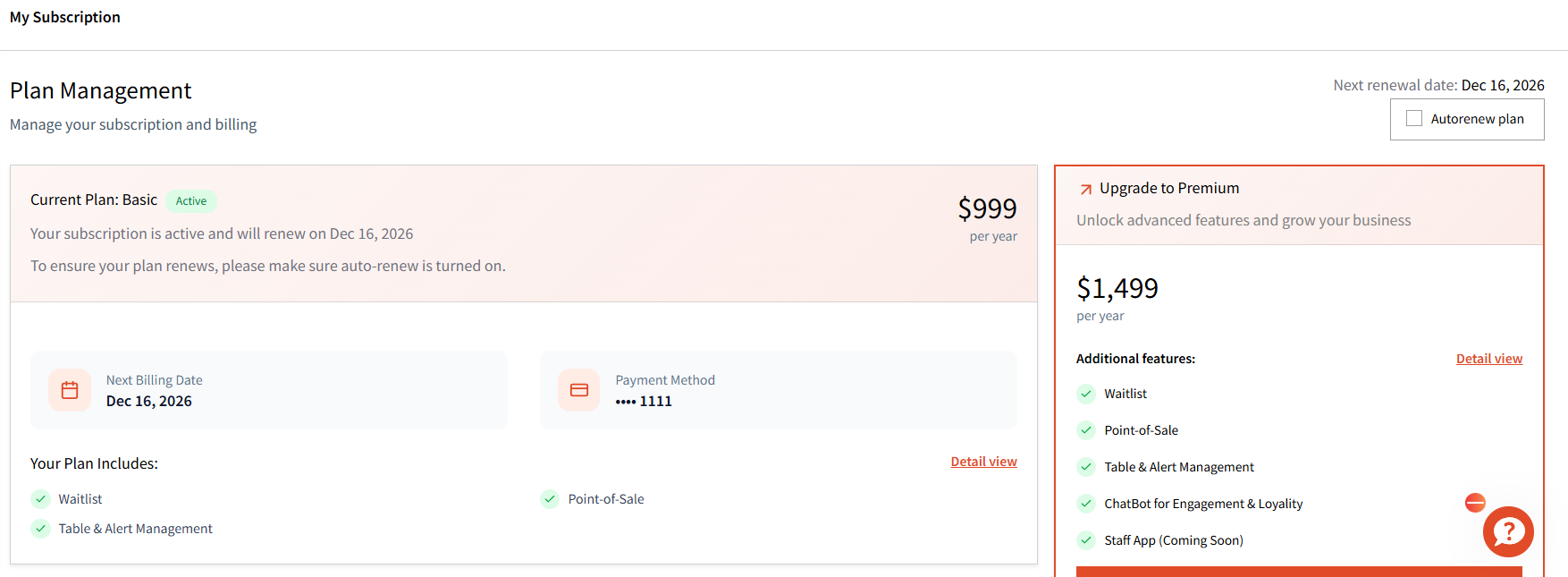
Managing Existing Subscriptions
- Once you purchase subscription(s), they will show up on this page.
- All active subscriptions will have "Active" written next to them as shown below.
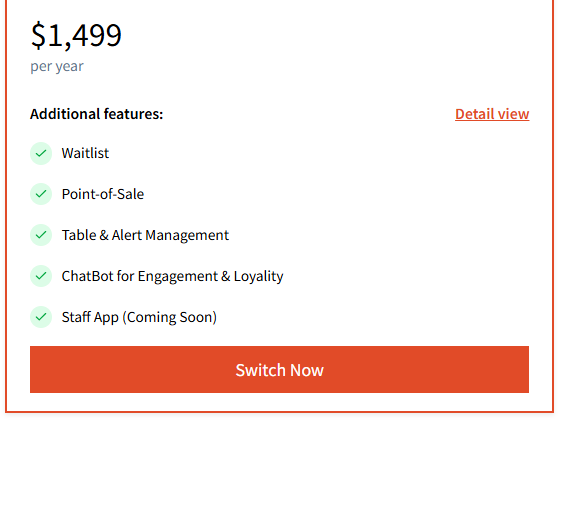
- You can modify your existing plan by clicking on 'Switch Now' that will show you the plan and cost related changes. This is dependent on the type of plan you have.
- You can also select "Autorenew plan" to auto-renew your subscription(s).
Recent Plan related Invoice is also shown here:
Note: We’re working on automated alerts to notify you before your plan expires. For now, alerts are not available, so please be sure to keep track of your plan’s expiration date.