
Guest Assignment and checking requests can only be done on iOS and Android tablet app or through the Staff app. Web does not offer ability for users to be able to assign tables to a guest.
- User can simply click on a guest's name they wish to assign a table to.
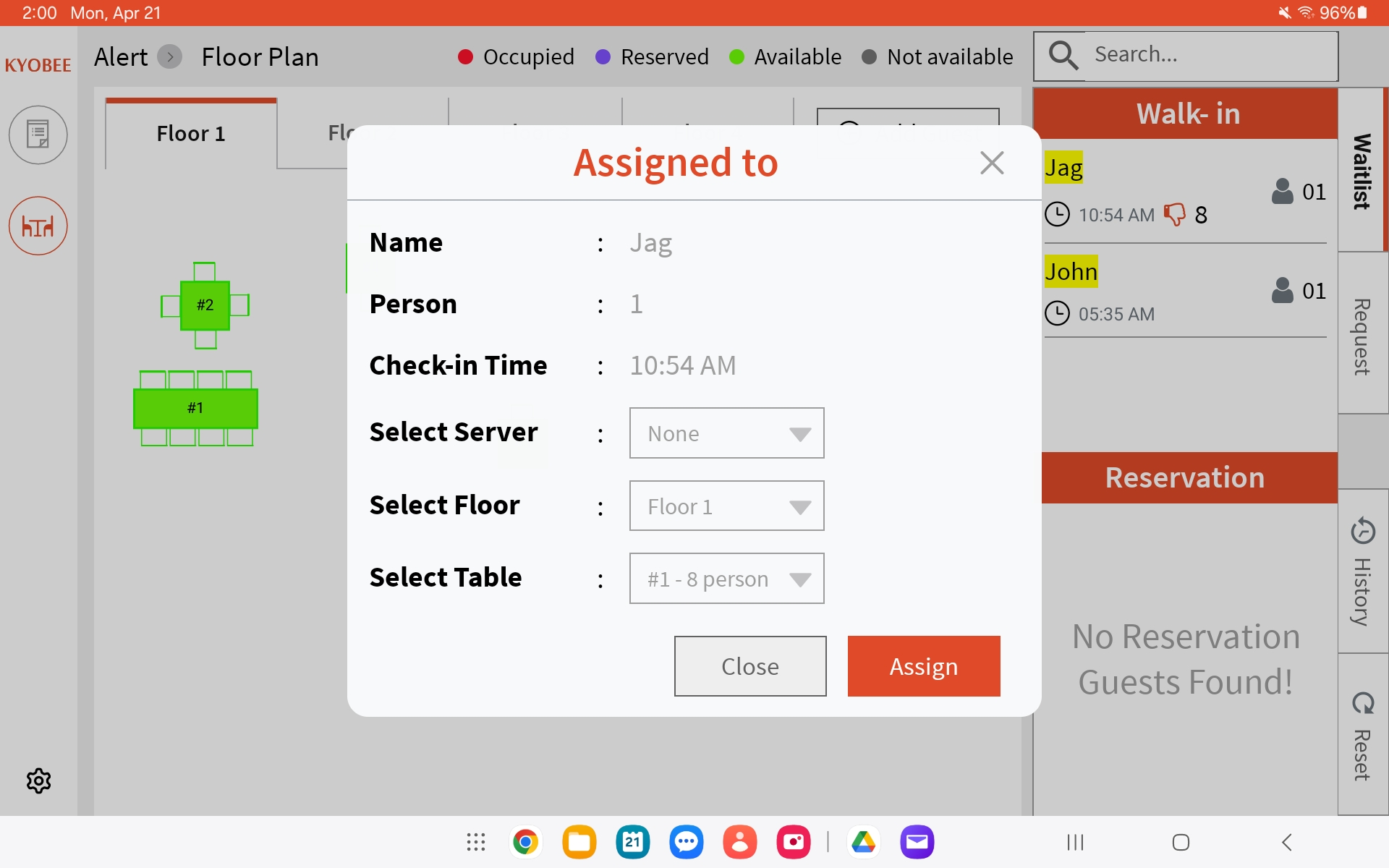
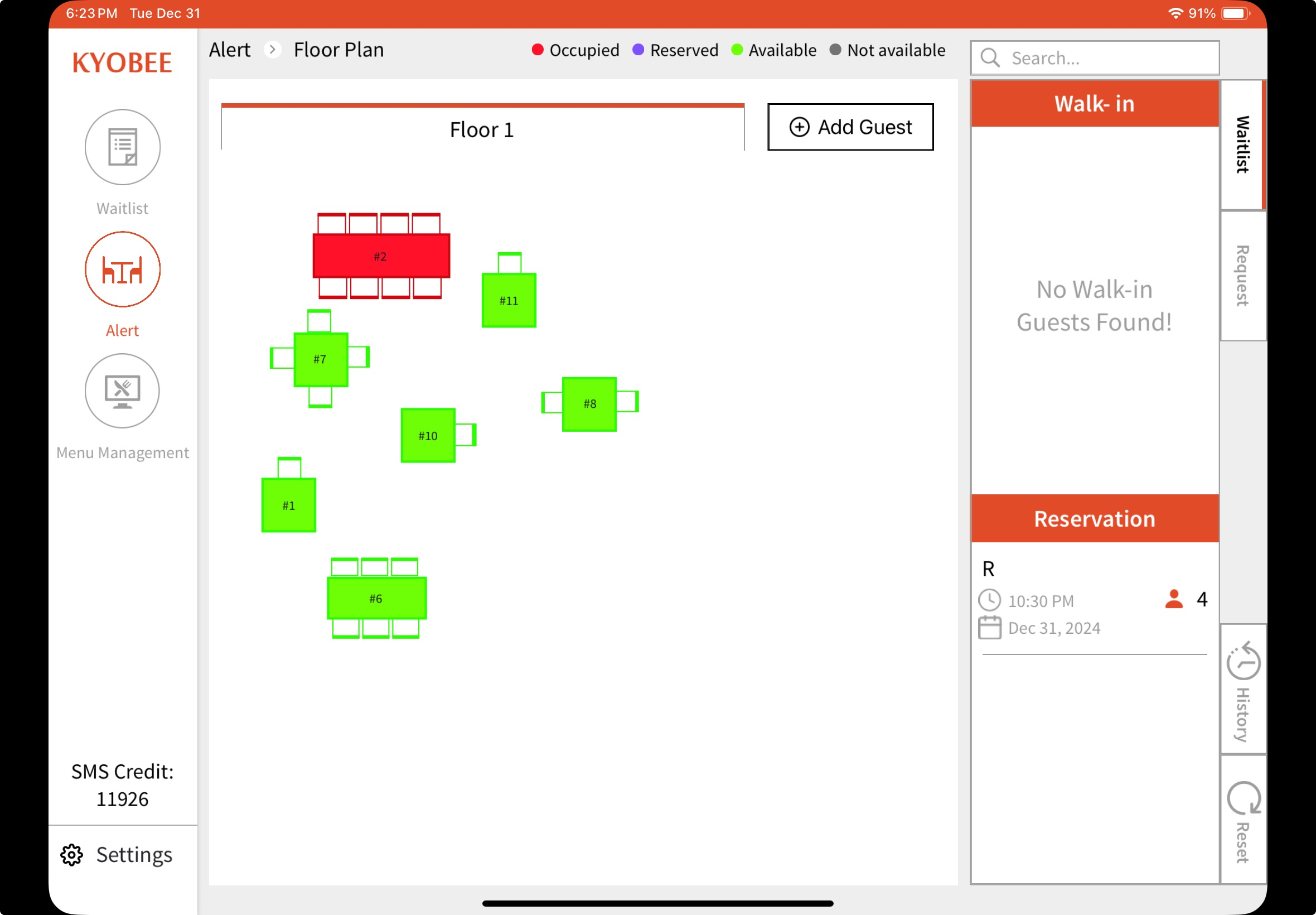
All the tables are displayed on the left side and the guest names are located on the right
Here's the view on the Staff app: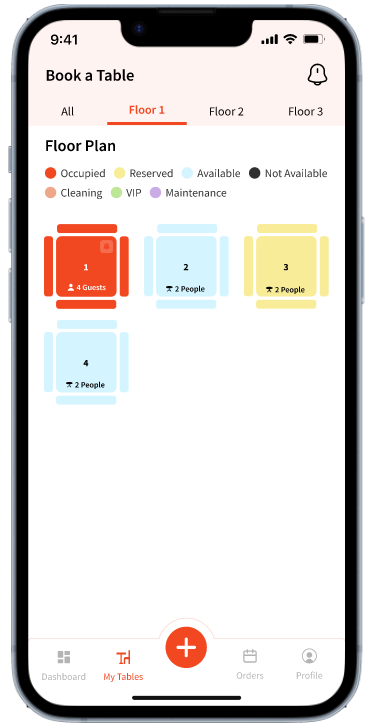
Tapping an 'Available' table will show the guest list using which the staff members can assign a guest to a table: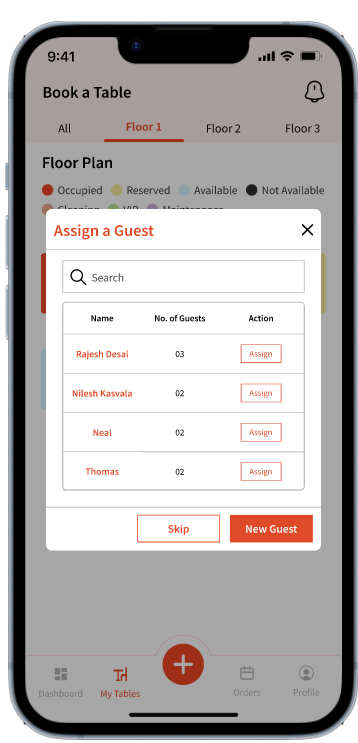
Staff can also click 'New Guest' to create a new guest to assign to a table.