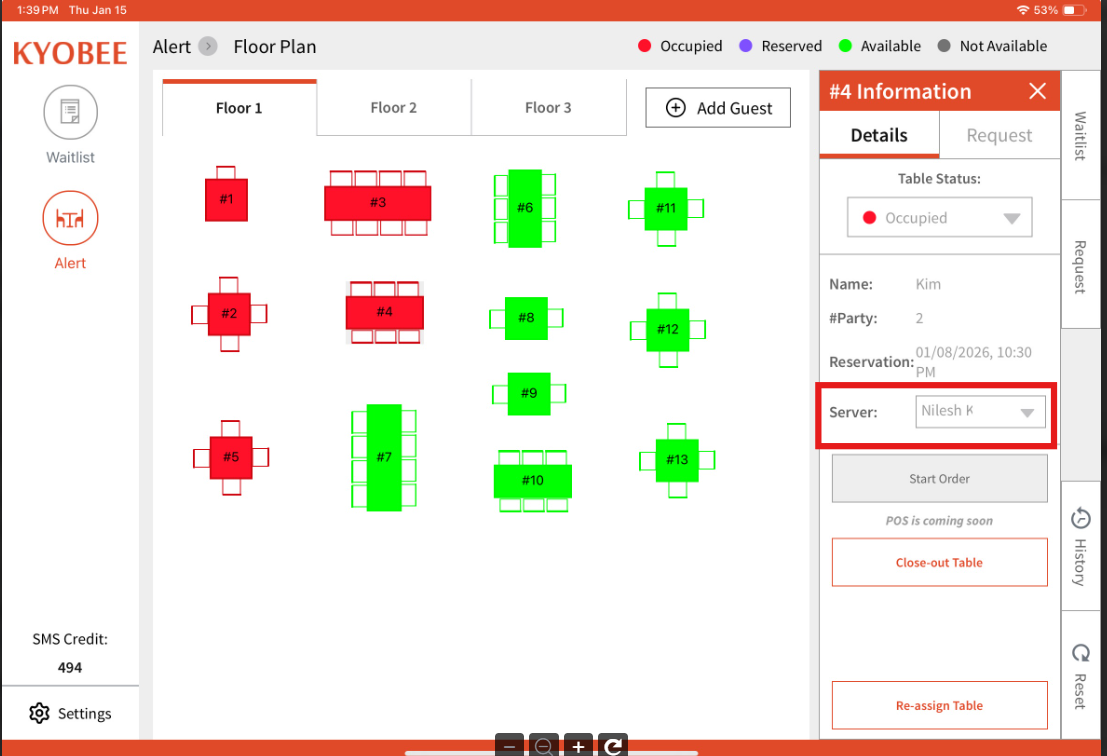
On Web:
- You need to first add your staff members under 'Staff' tab located in My Account. There's a separate article covering that section.
- The staff member added from that tab will receive an email to activate their account and once done, they will be available to be added as a server to tables.
On the Staff App / Tablet App:
- The staff member will start to show up under the drop down of "Server" and can be assigned to the table of user's choice.