
Note: This tab is only available on web.
You can click 'Add Modifier' to create modifier groups that you can attach to your items.
For example, you can create a Modifier for Spice levels
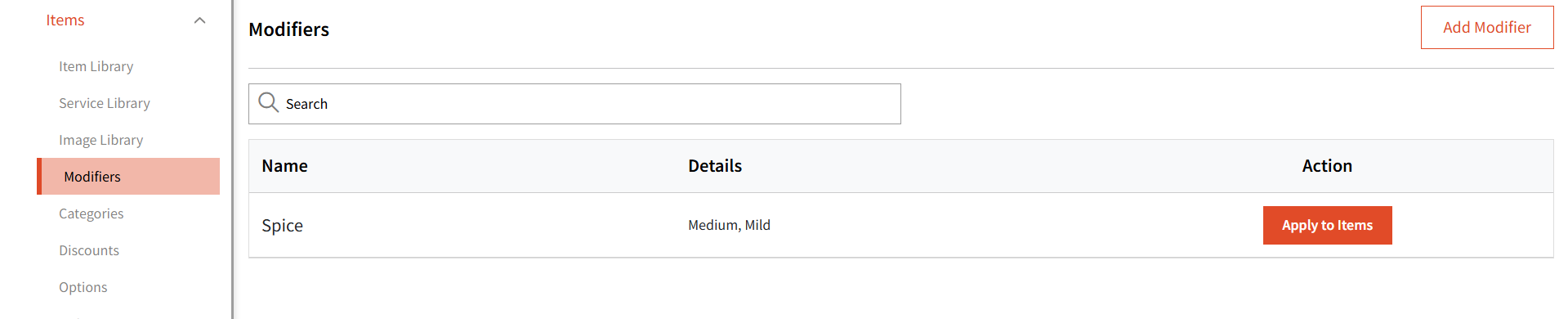
Here you can create the group name, then add individual modifiers under it.
Example: Group name can be Spice Levels
In 'New Modifier', you can add: Mild, Medium, Spicy
If you wish to, you can click the image icon next to the each line item and select an image to attach from the image library.
You can also add a price if you wish to charge customers for selecting the modifier.
You can even turn on/off if the modifier is in stock. 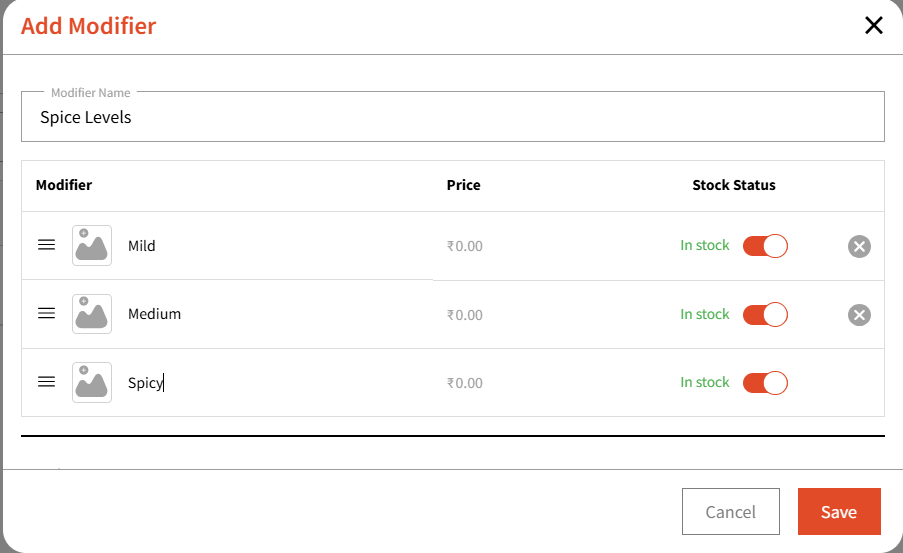
Lastly, you can even configure if the customer can only select 1 modifier out of the list:
Once the modifier group is created, you can apply it to an item you wish to attach it with using the 'Apply to Items' button.
You can also attach the modifier group through the Item Library, by clicking the particular item and selecting the modifier group under 'Modifiers'.