
Note: Discounts can only be configured on web. The tablet app will only let you view the created discounts.
You can also configure Discount codes that you and your staff can use when checking out a guest. 
Using 'Create a Discount', you can configure a discount code.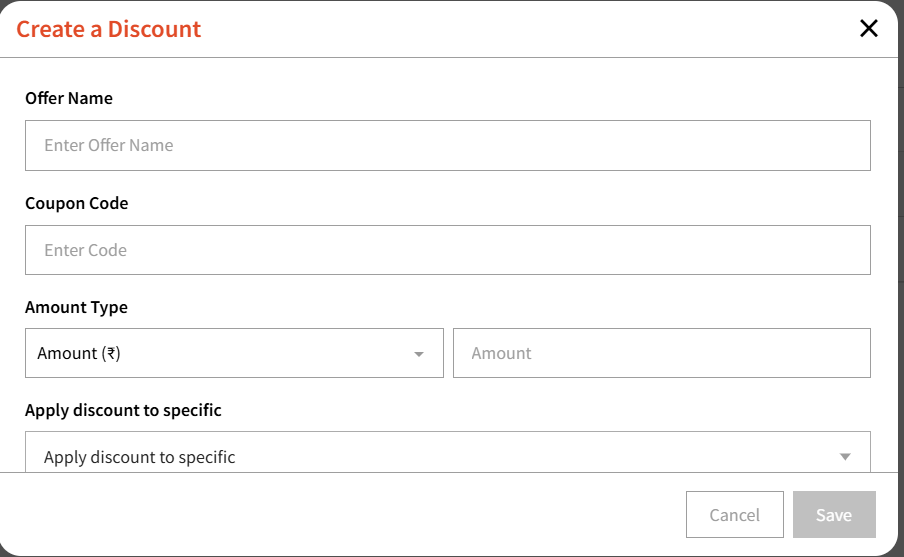
You can enter the name of the offer, the actual coupon code, Amount type that includes: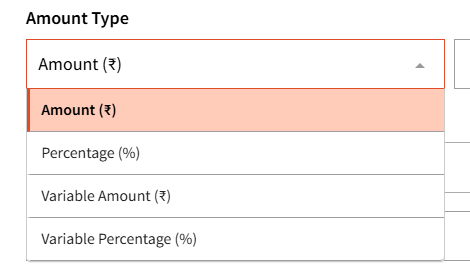
You can then select when this coupon can be applied at checkout.
For example, you can configure a date range when this coupon will be valid and also set a schedule during which it can be used.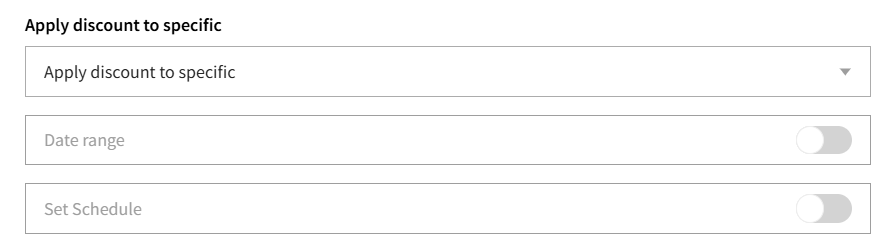
You can even require a minimum amount and/or password if needed. 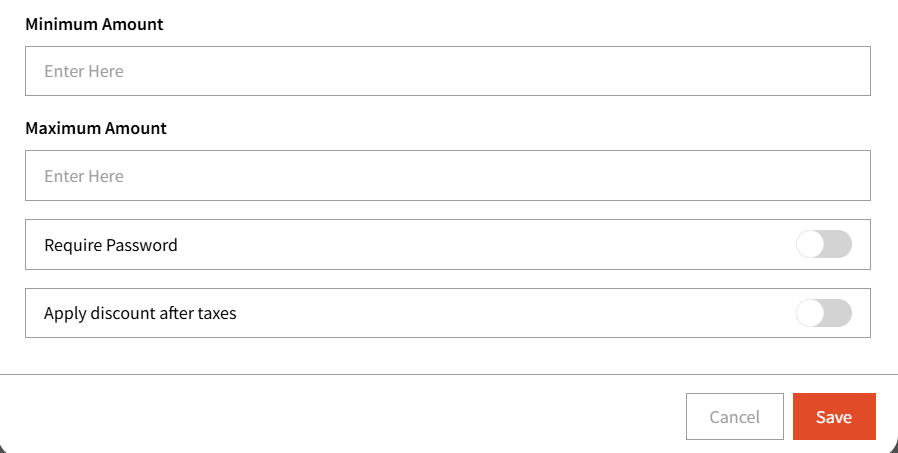
Lastly, 'Apply discounts after taxes' can also be used if you wish to.
Once configured, valid discount codes can easily be applied during checkout.
The admin will also be able to manage permissions under 'Staff Permissions' for Discounts.