
To view all the orders for any given date range or status, you can view them all under the 'Order History' tab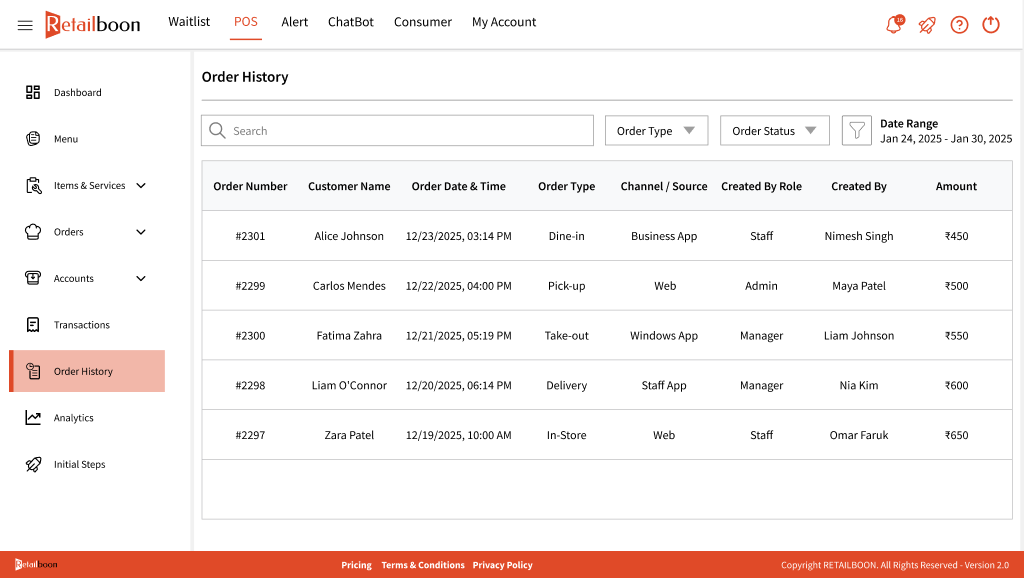
Note: This will display any orders that were cancelled before payment and also show you the name of the staff member that cancelled the order along with the reason provided for cancellation.
Along with that, you can also view the source of the order which means the source from where the order was put it i.e. Business app, Web, Windows app, or Staff app.
Order History Print
Created by: JENIS SHAH
Modified on: Mon, 9 Feb, 2026 at 2:50 PM
Did you find it helpful? Yes No
Send feedbackSorry we couldn't be helpful. Help us improve this article with your feedback.