Once you are logged in, you will see a view similar to the one below.
User can click 'Check-in' to clock in.
User can also add the clock-in time manually using the 'Add Manual Clock-in/out' option.
Note: Users can clock-in only when within a 200m radius of the address stored in My Account. If a user moves outside of the radius, they will be automatically logged out.
If a user needs to be outside of the 200m radius while on the clock, they can manually add their hours.
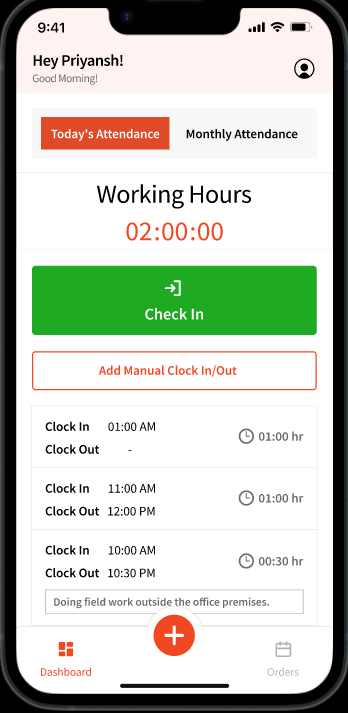
This view will also show user the history of all the clock-ins and outs.
User can also look at a particular month by clicking the 'Monthly Attendance' tab.
Note: Leaves and Holidays cannot be configured currently. We are actively working on enhancing the flow. 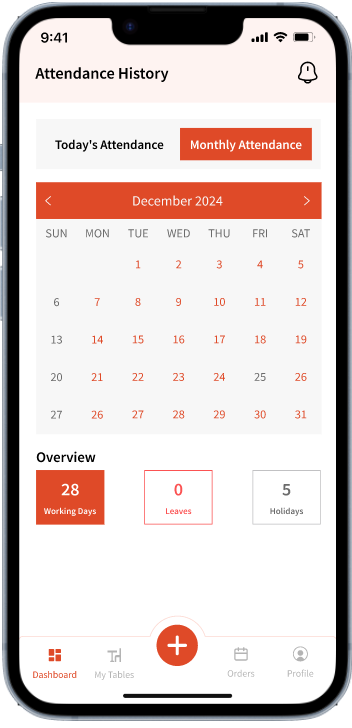
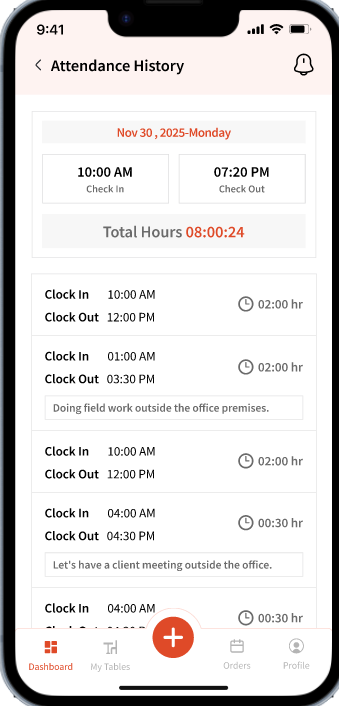
Clicking a particular day will show you the clock-in/out history for that day (if any):