Once you have confirmed the order, you can click on 'Billing'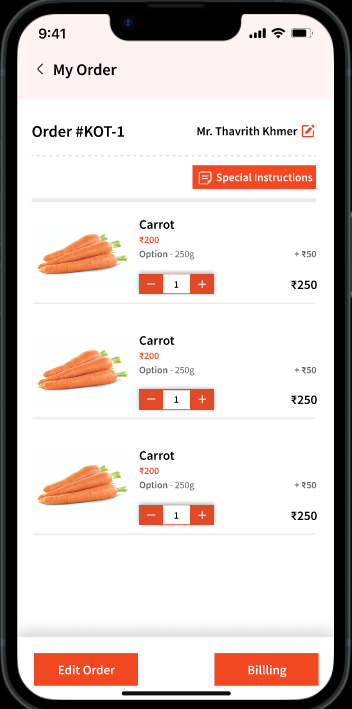
User can either Edit the order or Print order.
Print order will give you the following options: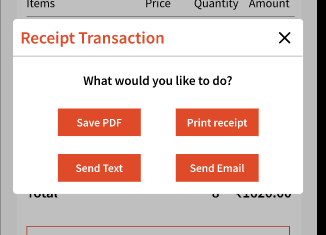
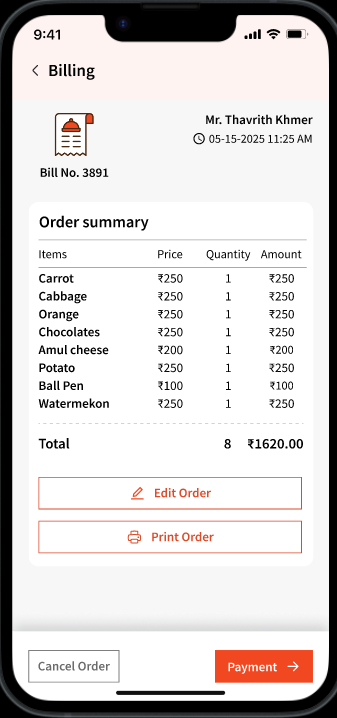
Note: Receipts can be printed either before or after payment. If printed before payment, the receipt can be shared with the guest to review all charges. After payment, the receipt will reflect the payment status.
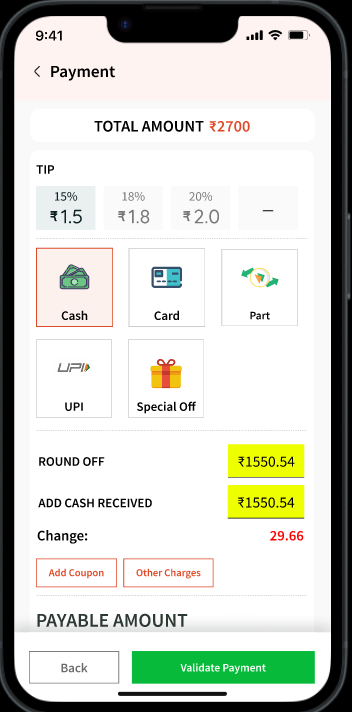
After clicking 'Payment', user can select from payment methods, add tips (if any), apply other charges or discounts.
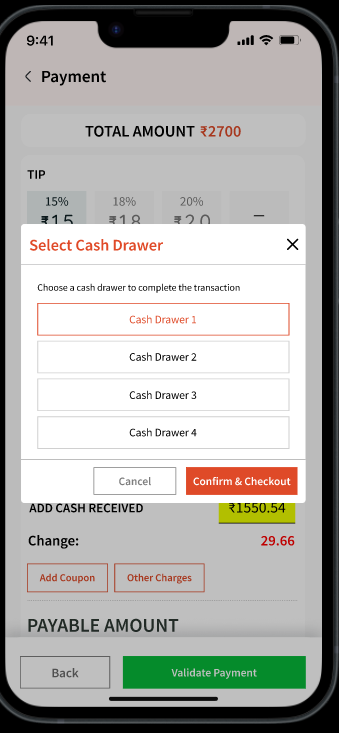
Clicking Validate Payment allows the user to collect the payment and associate it with a cash drawer. Associating a cash drawer helps when reviewing transactions for a specific drawer.
Note: All configured and active cash drawers will show in this list.
Once the payment is collected, user will be shown a confirmation.
User can also 'Cancel Order' that will require you to put a reason. The cancelled order, the user's ID, and the reason will showcase in the 'Order History' tab located in the Web application.