You can create and manage raw materials for your items, attach them to products, and track inventory levels.
Navigate to 'Raw Materials' under Items & Services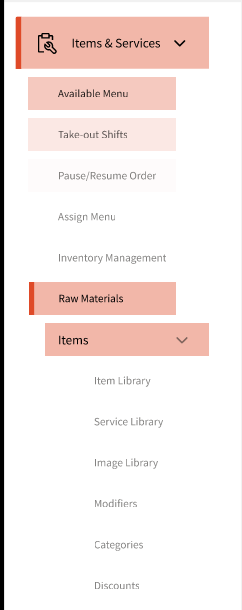
Click 'Add Raw Material' button that will open up the form.
Simply fill up the details listed in the form.
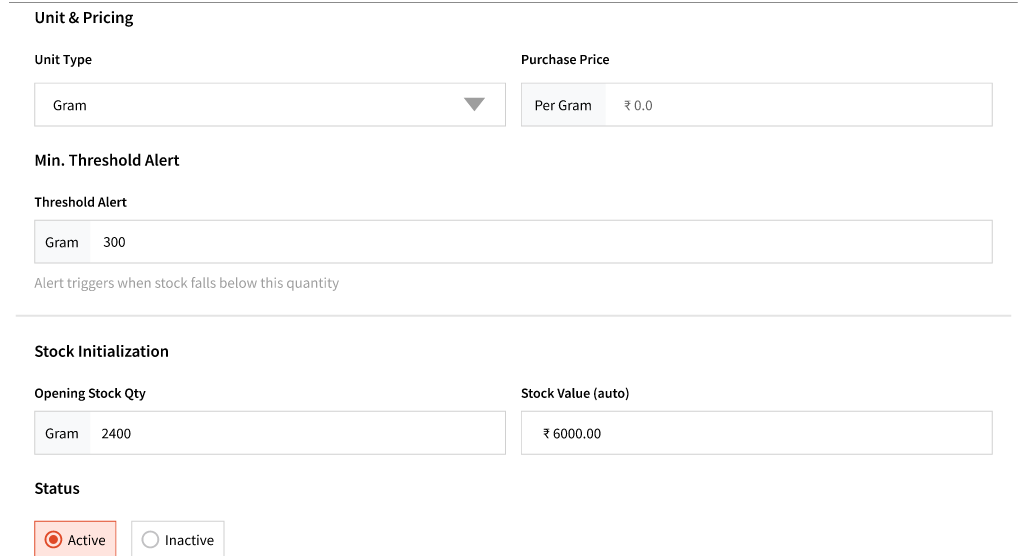
Here, you will be shown a section for Unit & Pricing where you can add the unit type and unit price at which you made the purchase of the raw material you're adding.
Min Threshold Alert
Set a minimum stock threshold to receive notifications when inventory runs low.
If you’d like to be notified when only 300 grams remain, set the threshold to 300.
Stock Initialization
You can setup the opening stock which is the stock on hand.
Stock value is auto calculated based on the unit purchase price and the opening stock.
For example, if your opening stock is 200 and your unit price is $1, the stock value will be $200.
Status
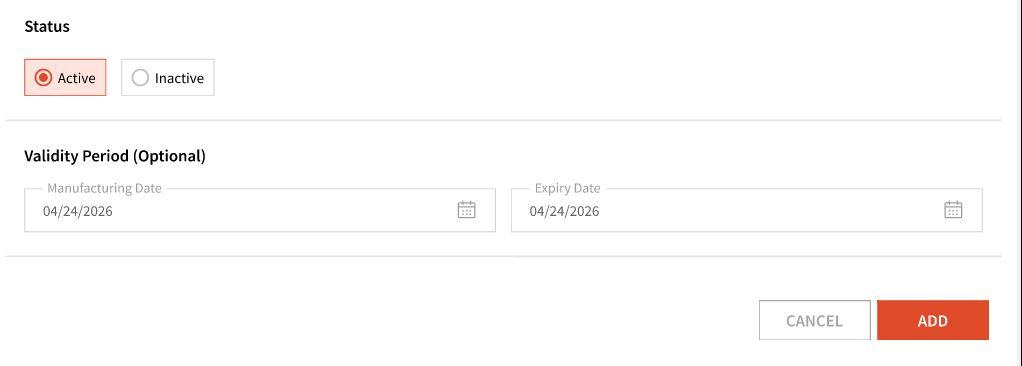
You can setup 'Active' or 'Inactive' status here.
Validity Period (Optional)
This is an optional step but you could even add a manufacturing and an expiry date and the system will notify you when the raw material is nearing expiration.
If an expired raw material is linked to an item, you can still sell the item, but the system will display a disclaimer before the sale.